Size Guide
Find the right fit for your device
Use this guide to check dimensions, fit and compatibility before ordering electronics and accessories. Always use the measurements and model information for the specific product you are considering.
Check fit before you order
Start with the exact model
Find the full brand and model number of your device, not just its product family or screen size. Compare it with the compatible models listed for the accessory. A similar-looking device may have different buttons, ports or mounting points.
Measure the product and its space
Check width, height and depth against the space where the item will be used. Allow the clearance specified by the manufacturer for ventilation, cables, stands, doors and moving parts. Product dimensions and packed shipping dimensions describe different things.
Check what is included
Read the description for included straps, adapters, tips, cables and mounting hardware. Do not assume that an extra part shown in a product image is included or that an adapter will make two incompatible items work together.
What to check by product
Phone and tablet accessories
For cases, covers, screen protectors and stands, match the exact device model and generation. Check camera and port cut-outs, device thickness and any supported size range. Screen size alone does not establish a correct fit.
Watch straps and wearables
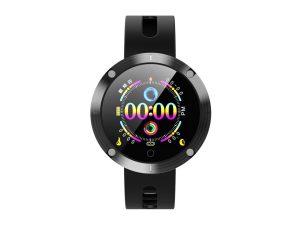
Check the watch model, case size and the attachment type specified for the strap. Measure your wrist and compare it with the product’s stated strap length or wrist-fit range. Bands are not interchangeable simply because the watches look similar.
Headphones and earbuds
Read the fit and adjustment details for the specific model. For replacement ear tips, pads or cables, check that the product explicitly supports your headphones or earbuds. The shapes and attachments can differ between models.
Home and office equipment
For printers, networking equipment and other larger devices, check the overall dimensions and the room needed for trays, lids, connections and access. For brackets or mounts, compare the mounting pattern and the manufacturer’s stated limits, as well as size.
Understanding measurements
Keep units consistent
Dimensions may be listed in inches (in), centimetres (cm) or millimetres (mm). One inch equals 2.54 cm, and one centimetre equals 10 mm. Convert measurements to the same unit before comparing them, keeping the original specification for reference.
Screen size is not overall size
Screen size is commonly measured diagonally. It does not tell you the full width, height or depth of the device, bezel, stand or case. Use the physical dimensions when checking whether an item fits a bag, holder, shelf or desk.
Use product-specific specifications
This page is a general measuring guide, not a universal sizing chart. Use the measurements, supported models and fitting instructions on the product page or in the manufacturer’s documentation. Contact us if a required measurement is missing.
Need help checking a fit?
Send the product link, the exact model of your device and the measurements you want to check. We can help you find the relevant information before you order.